
Category: Tips
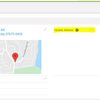
Helpful Address Update feature on Contact records
There is a ‘one-click’ way to update the Contact’s address so that is matches the address of the related primary Account. On the Contact record, in the address section, select Update Address in Edit mode and Save. This copies the address of the Account to the Contact record. This feature was added as a result of user feedback!
We know it is time consuming to update Contact address but it is important to keep our data current and accurate, especially… -more-
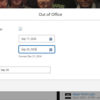
Setting Out of Office message in Salesforce
In Salesforce, can I set an Out of Office, like in Outlook?
ABSOLUTELY!!!!
- Click your profile icon in the upper right corner.
- Click your NAME to open a settings page.
- Click the “Out of Office” button.
- Click the check box to enable Out of Office, enter the dates, and change the Message if desired.
- Once saved, Salesforce will display your Out of Office message next to your name in Salesforce.
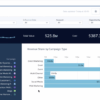
Einstein Attribution
We are excited to announce enabling Einstein Attribution in the production environment on October 30th. This enhancement aims to provide more accurate and insightful attribution results to support our ongoing efforts in optimizing our sales and marketing activities.
Important Points to Note:
- Downtime for Attribution Results: As we activate Einstein Attribution, please expect a temporary downtime of campaign influence attribution results through October 31st.
- New Results Available: A brand-new set of attribution results will be available starting November 1st.
- Sandbox
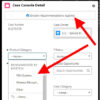
Einstein helping with Case Fields
We have enabled Einstein Case Classification to help with filling out fields on the case. Hopefully this will reduce the time it takes to fill out these fields. After opening the case, click on “Einstein Recommendations Available”.
Any field that has a Green Dot next to it has been processed by Einstein. Clicking the dropdown, Einstein will show the top 3 selections that it thinks apples to this case. You will need to click the correct selection, even if that… -more-

Changes to the Opportunity page layout are on the way!
📣 We’re excited to announce some upcoming changes to the Opportunity page layout that will enhance your user experience and bring us closer to achieving our revenue goals!
What’s changing:
- Key fields will now appear further up the page for easier access.
- Fields that are no longer necessary or frequently unused will be removed.
- These changes will be applied to both desktop and mobile views.
- The new layout will enable you to manage your data more efficiently.
- Quick access
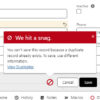
Need help with a record update in CSP Salesforce?
Unsure of who can help you? Tag @Data Cleanup Team for help with data issues on Accounts, Contacts, Cases & Opportunities. 📢
- Account or Contact duplicates/merging
- Account or Contact owner reassignment
- Case and related Contact issues
- Lead Conversion
- Missing or incorrect data on Accounts, Contacts, Opportunities and Cases
- General error messages or issues updating records
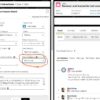
New Inquiry Category field on case. Please fill it out for every case.
We’re adding a new internal “Inquiry Category” field to the case layout. This will hopefully help provide better reporting to GPM/PDD. It is a drop down list that you will need to select from when working a case. We ask that everyone, please make a selection from this field when working a case. Eventually, we’ll turn on Einstein to help suggest what it thinks the selection should be, but you’ll still need to confirm or change that selection. So with… -more-
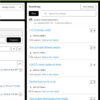
Help needed: Attach those FAQs to Cases!
Service Cloud Tip. Help Teach Einstein Article Recommendation! A few years ago, we enabled Einstein Article Recommendation. This Einstein Knowledge recommendation is really awesome. The AI engine learns from us attaching articles to cases. It gets smarter, each time we attach an FAQ or click the “Mark as not helpful” link. It looks at the Subject and Description fields and builds a model to predict when to recommend an FAQ article based on previous Case attachments.
The more that we… -more-
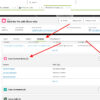
Adding multiple people to a single case
Did you know that you can add multiple people to a single case? Yes!!! If you have a case where there’s a couple of people from the end user site, the integrator, and a consultant all involved, it is possible to add all those people to the case.
How? When viewing the case, go to the related tab, and scroll down to the “Case Contact Rolls.”
Click on “NEW”. Then search for an existing contact or create a new contact.… -more-