
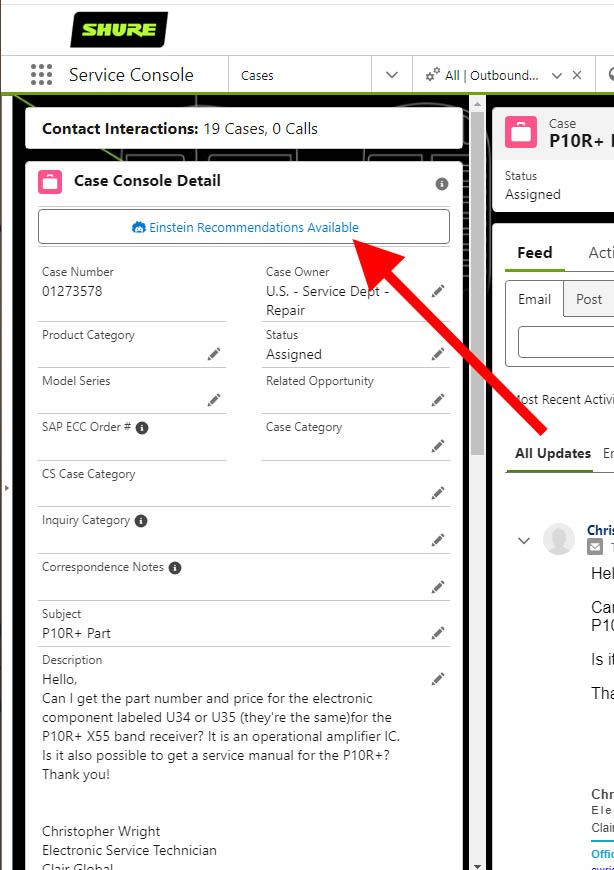
We have enabled Einstein Case Classification to help with filling out fields on the case. Hopefully this will reduce the time it takes to fill out these fields. After opening the case, click on “Einstein Recommendations Available”.
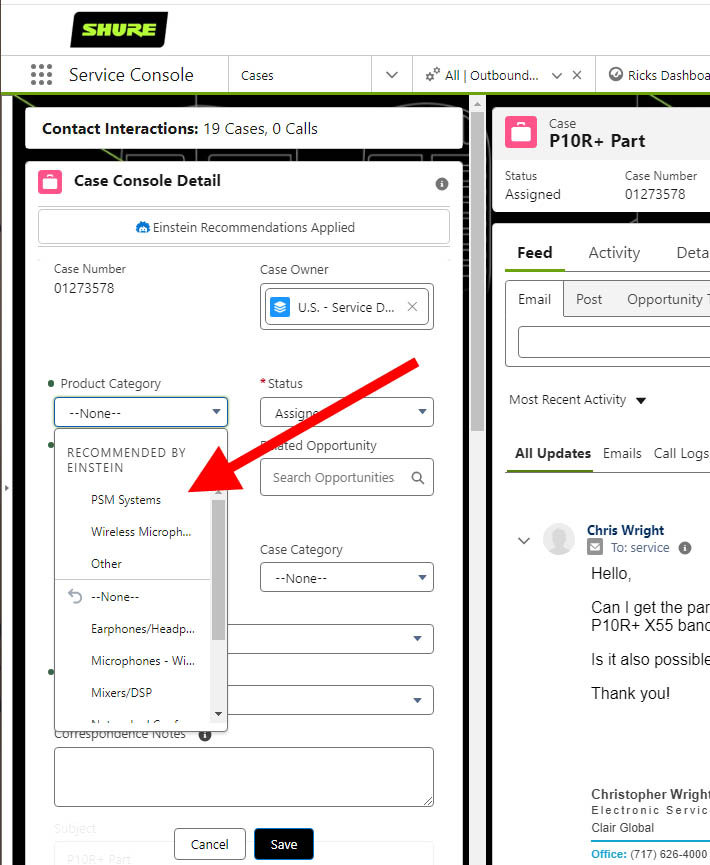
Any field that has a Green Dot next to it has been processed by Einstein. Clicking the dropdown, Einstein will show the top 3 selections that it thinks apples to this case. You will need to click the correct selection, even if that is further down the list.
Sometimes, if Einstein has a “Best” selection, it will fill that in automatically for you to review.
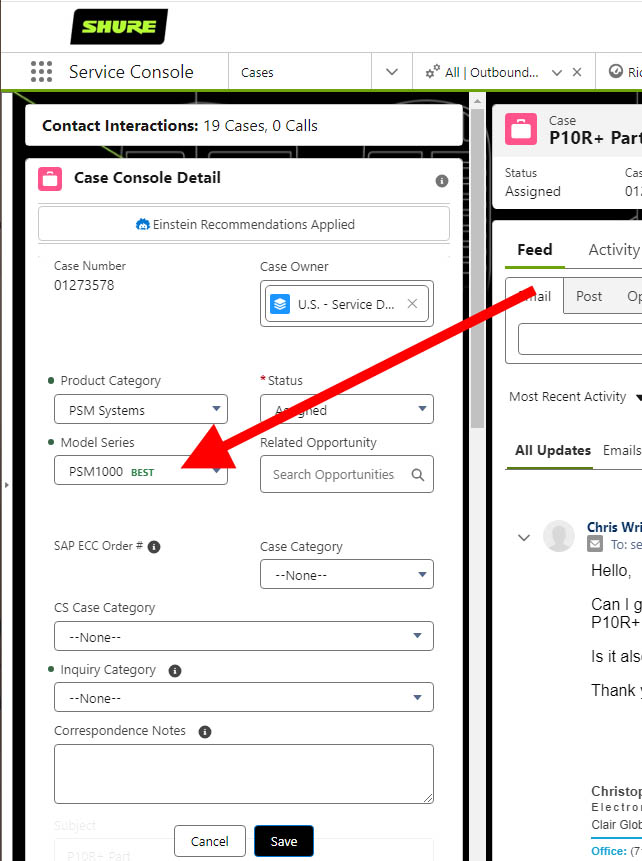
After selecting the appropriate fields, click the “SAVE” button.
