While wireless systems have liberated performers from the bonds of cables, they have unleashed a dizzying array of technical headaches. Getting a wireless system to behave predictably is a challenge faced by touring professionals and novices alike. No venue or system is immune. Still, it doesn’t have to be guessing game. Understanding the basics of how wireless systems function and how radio waves travel will help triumph over dropouts, interference, and distortion. Avoiding five common errors will often tame unruly wireless beasts.
1. Signal blockage
Maintain line-of-sight between the transmitter and the receiver antennas. Do not place metal objects, walls, or large groups of people between the antennas and the transmitter. Ideally, the receiving antennas should be in the same room as the transmitter and elevated above the audience and other obstructions.
Largely composed of salty water, the human body will interfere with wireless signals as it absorbs RF (Radio Frequency) energy. If a user cups her hands around the external antenna on a handheld transmitter, its effective output can be reduced by 50% or more. If the flexible antenna on a body pack transmitter is coiled or folded, the transmitted signal level is substantially weakened.
2. Incorrect receiver antenna type or placement
Receiver antennas are another misunderstood subject of wireless microphone operation. Mistakes in antenna selection, placement, or cabling, will cause short range, dead spots in the performance area, and minimal signal strength at the receiver, all leading to frequent dropouts. Diversity receivers offer better performance than antiquated single-antenna types, but correct antennas still must be in the optimal positions to maximize system performance and reliability.
Locate antennas as close to the transmitter as possible. To ensure good performance, the receiver antennas should be angled apart in a wide “V” configuration, which provides better pickup when the transmitter is moved around and held at different angles. For a theater application, consider mounting the antennas above the stage.
Antennas are often frequency band specific. Do not employ a random antenna from another system without first double-checking the frequencies.
If the receiver will be located away from the performance area in an equipment closet or a closed rack, ½-wave antennas or directional antennas should be remotely mounted, above the audience, to have a clear line of sight to the transmitter. [Short ¼-wave antennas should never be remotely mounted as they use the receiver’s metal chassis as part of the antenna.]
Increasing the separation between antennas, up to one wavelength or about 24 inches at 500 MHz, can improve diversity performance. Beyond one wavelength, extra distance between the antennas will not significantly improve diversity performance, but may allow better coverage of a large stage, church, or meeting room. If the antennas will be far from the stage, use directional antennas to improve reception. Directional antennas receive more desired RF signal from the stage and less undesired RF signal from other angles.
If the antennas will be connected to the receiver with a substantial length of coaxial cable, in-line RF amplifiers might be required to overcome the inherent signal loss in the cable. The amount of signal loss depends on the exact length and exact type of cable used; this can be calculated. Total net loss should not exceed 5dB.
3. Poorly coordinated frequency set
A well-coordinated set of wireless frequencies must satisfy two criteria:
- Frequencies must avoid active local TV channels
- Frequencies must be mutually compatible
Television transmitters may operate at power levels up to 1,000,000 watts while wireless microphone systems typically have only 0.050 watts (fifty-thousandths of one watt) or less output power; the TV station signal is 20,000,000 times stronger! To avoid broadcast television interference, the wireless system must not be set to the same frequencies of local active TV channels.
How local is local? “Local” is generally considered to be up to 50 or 60 miles, depending on the coverage area of the TV transmitter antenna and on the location of the wireless microphone system. Indoor setups are at less risk than outdoor setups because building structures will usually weaken the TV station signals. Inside buildings of substantial construction, it may be possible to ignore TV stations as close as 30-40 miles. Since the locations and assignments of television stations are well known, it is straightforward to choose appropriate wireless microphone frequencies in a particular area.
To insure a mutually compatible set of frequencies, once the local TV channels have been considered, it is necessary to use one of two methods. The simpler method is to use the “Group” and “Channel” frequencies already programmed into the Shure wireless systems. By using Channels that are all in the same Group, compatibility is guaranteed for smaller setups of like equipment. The appropriate Group and Channels can be determined from the Shure website or by using the built-in “Scan” function on the receiver itself.
If the wireless setup is more complex, for example when using wireless microphones and wireless in-ear monitors together, it may be necessary to use a frequency coordination computer program to insure compatibility, such as Shure’s Wireless Work Bench.
One set of frequencies does not fit all. A serious consequence of the condensed TV channel distribution is that it is no longer possible to use a given set of wireless microphone frequencies everywhere within a country. There is no longer such thing as “set and forget”.
Even if the audio system doesn’t move from place to place, the RF environment can change unexpectedly. It’s largely true that television stations remain constant, but if there are other wireless systems in the frequency band – whether it’s multiple systems in the venue or interference from the coffeehouse down the street – the wireless frequencies may need to be adjusted. What worked at sound check may not be fail-safe when the show begins. This is the reason frequency coordination is so important.
4. Deficient battery management
Despite that transmitter battery life is a top concern with wireless mics, users often try to reduce operating costs by using inexpensive batteries. Most wireless manufacturers specify alkaline or lithium single-use batteries because their output voltage is stable over the life of the battery. This is important because most transmitters will exhibit audible distortion or signal dropouts if supplied with insufficient voltage.
It is recommended to remove the batteries from transmitters after each performance. This prevents the use of half-dead batteries during the next performance and prevents a leaking battery from damaging the transmitter if stored for an extended time.
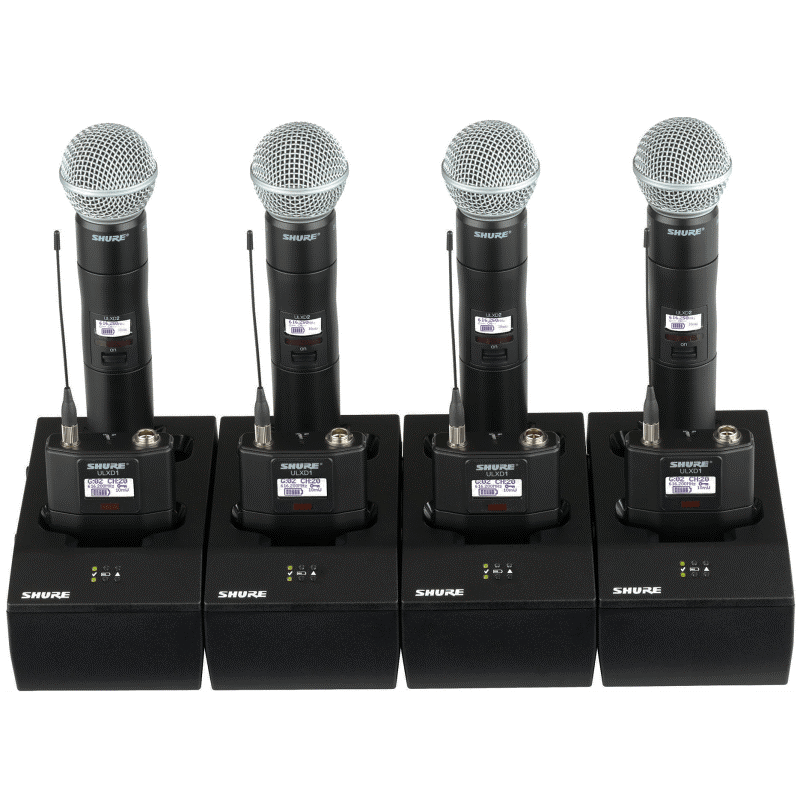
Rechargeable batteries can offer the ideal solution, but some types provide about 20 percent less voltage than a single-use battery — even when fully charged. To combat such issues, carefully compare the transmitter’s voltage requirement with the battery’s output voltage over time to ascertain if the battery will last through a full performance. Using rechargeable batteries is one way to save money and to be kind to the environment. It is essential that someone be responsible for managing the life of each battery – keeping track of when it was used, when it was recharged, and how many hours it has been employed. Shure SB rechargeable batteries feature onboard intelligence to track the details of charging cycles, operational time, battery health, etc.
5. Improper gain set-up
Setting the proper input gain is a critical adjustment on a wireless microphone transmitter. Distortion may occur if the gain is set too high, while poor signal-to-noise may result if the gain is set too low.
Wireless transmitters often have a gain control in the form of a switch, a potentiometer, or a programmable adjustment. Think of this gain control as serving the same function as the “trim” or “gain” adjustment on a mixer. Its purpose is to set the input sensitivity low enough to prevent input overload, or “clipping,” but high enough so that the signal level is well above the system noise floor.
Adjustment of the wireless transmitter gain is done in the same way as mixer input gain: set the gain control so that the loudest input signal just barely lights the overload/peak indicator. This indicator is usually on the receiver, so it is necessary to observe the receiver front panel while the performer is singing or playing. If the peak indicator is flashing constantly, reduce the transmitter gain until it flashes only occasionally. If the indicator never flashes, increase the gain until it flashes only on the loudest signals.
Wireless microphone receivers typically have an audio output level control; it has no effect on improper gain adjustment of the transmitter. For most situations, set the receiver output level control at maximum. Assuming the mixer input can accommodate the signal level, the overall system will exhibit the best possible dynamic range.
Related information: Educational booklets on using wireless audio devices
Online tools for wireless audio devices
Arcana – mysterious or specialized knowledge
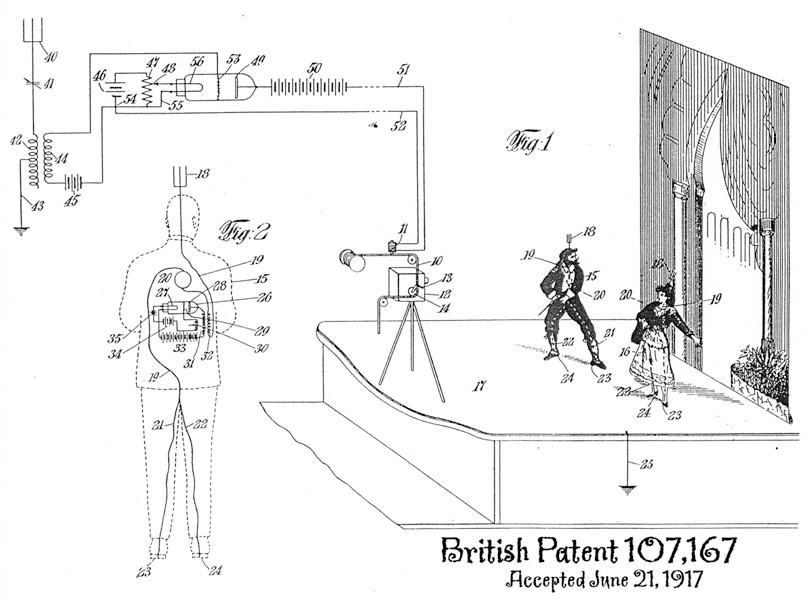
In 1917, British patent 107,167 is granted to an American telegraph engineer, William Baldwin Vansize, for a wireless microphone system. Each actor in a motion picture is provided with a battery-powered mic that sends its signals, via radio waves, to be recorded on magnetic steel tape/wire, synchronized with the advance of the film in the camera.